
Review AI suggestions and knowledge gaps
Approve answers the AI learned from your team, fill gaps it couldn't answer, and fix conflicting sources in Knowledge → Suggestions.
Updated
On this page
Opskeet keeps the AI's knowledge fresh by suggesting changes. Nothing reaches the AI until an owner or admin approves it.
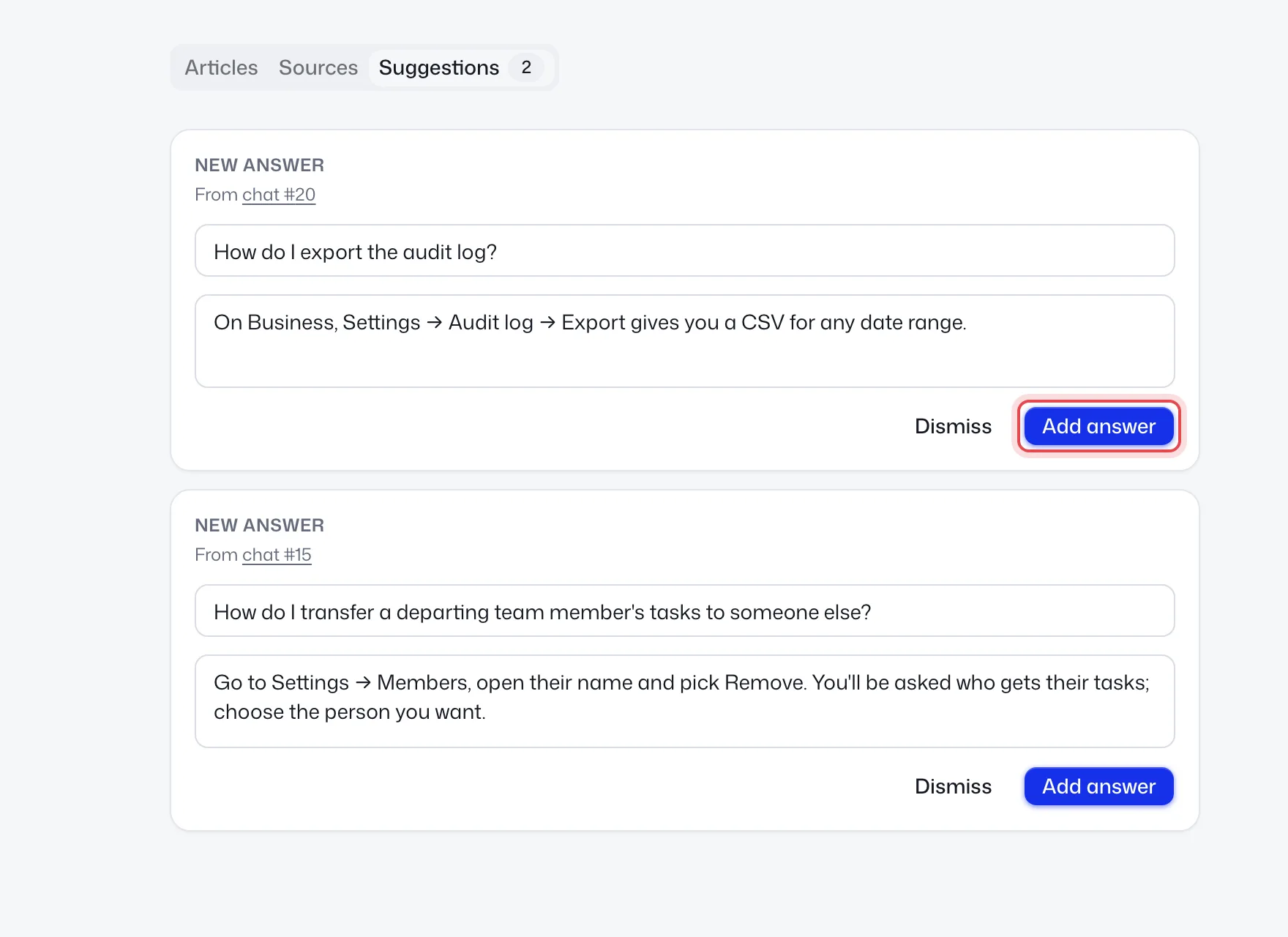
Find them in Knowledge → Suggestions. The number on the tab is how many are waiting. The most asked come first.
Types of suggestions
| Card | Where it comes from | What you can do |
|---|---|---|
| New answer | A chat your team answered and closed | Edit, then Add answer or Dismiss |
| Change to "…" | Your team answered differently from an existing written answer | Update answer or Dismiss |
| Not answered yet | The AI handed over because it didn't know, or an answer was rated unhelpful | Write the answer and Add answer, or Dismiss. Write article shows once it's been asked often enough |
| Sources disagree / Same answer twice | Two sources conflict or repeat | Edit answer, Remove answer or It's fine |
| Searched, nothing found | Help center searches with no results | Write article or Dismiss |
Learning from your team
When a chat your team answered closes, the AI writes at most one reusable question and answer from your teammate's words. It skips personal, one-off and account-specific replies, refunds and exceptions.
To stop this, turn off Suggest answers from your team's chats on the AI page, under Learning.
Tips
- Check suggestions weekly. Each one you approve stops a future handover.
- Edit the answer before approving. Keep it general, not about one customer.
- Gaps asked in many chats are good candidates for a help article.
Did this help?
Related articles
- Set up the AI agent to answer visitorsTurn on Opskeet's AI agent, choose when it answers, and set its limits so it replies to visitors from your own knowledge.
- Teach the AI with your website, documents and answersAdd your website, PDFs, Word files and written answers to Opskeet's Knowledge so the AI agent answers visitors correctly.
- Written answers: teach the AI what isn't on your siteAdd written answers so Opskeet's AI knows policies and facts that aren't on your website. Import and export them as CSV.
- Test the AI before visitors see itAsk Opskeet's AI questions in the Try it panel, see how sure it is and which sources it used, and fix wrong answers.
- Set the AI's name, tone, guidelines and guardrailsGive Opskeet's AI agent a name and brand voice, tell it how to answer, and set guardrails for what it must never do.