
Test the AI before visitors see it
Ask Opskeet's AI questions in the Try it panel, see how sure it is and which sources it used, and fix wrong answers.
Updated
On this page
The Try it panel on the AI page lets you chat with the AI as a visitor would. Nothing is sent to anyone.
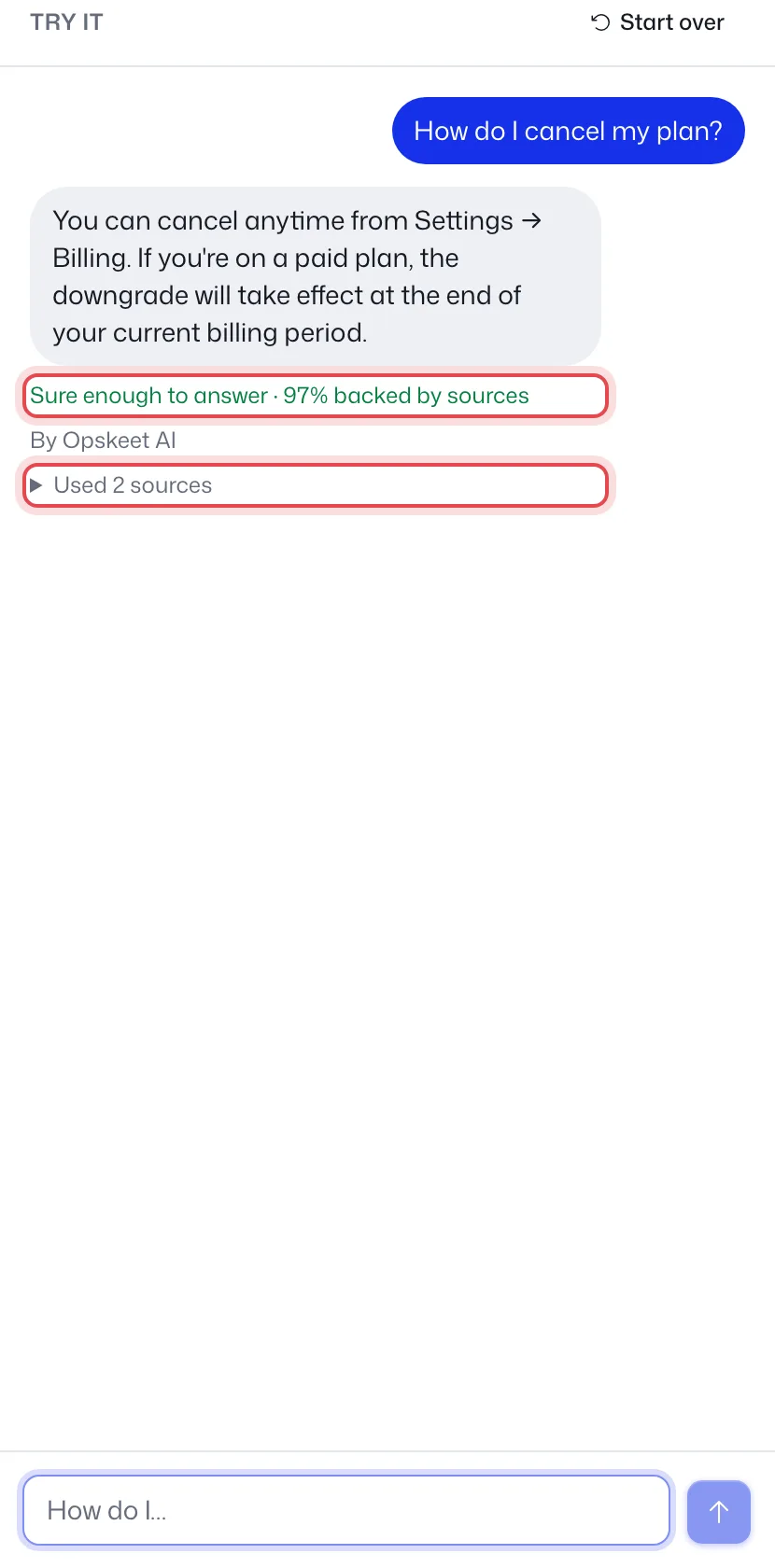
Try a question
- Click AI in the sidebar. On a small screen, click Try it.
- Ask what your visitors ask, like "How do I cancel?".
- Read the answer and the line under it.
| You see | It means |
|---|---|
| Sure enough to answer · 90% backed by sources | Visitors get this answer. |
| Not sure · 40% backed by sources | It tells the visitor it's not sure and offers a person. |
| Hands over to the team | It wouldn't answer, with the reason. |
| Held back | It repeated your private instructions. |
Click Start over to clear the chat.
Fix a wrong answer
Each answer lists Used N sources. Click a source to open it and correct the text. The eye icon means visitors can open that source. The lock means they can't, like documents, written answers and team-only sources.
If the answer is missing, add a written answer.
Tips
- It uses saved settings. Click Save before testing a change.
- Test the questions you get most, plus a few you shouldn't answer.
- Switch How sure it must be to Cautious if it answers when it shouldn't.
Did this help?
Related articles
- Set up the AI agent to answer visitorsTurn on Opskeet's AI agent, choose when it answers, and set its limits so it replies to visitors from your own knowledge.
- Teach the AI with your website, documents and answersAdd your website, PDFs, Word files and written answers to Opskeet's Knowledge so the AI agent answers visitors correctly.
- Written answers: teach the AI what isn't on your siteAdd written answers so Opskeet's AI knows policies and facts that aren't on your website. Import and export them as CSV.
- Set the AI's name, tone, guidelines and guardrailsGive Opskeet's AI agent a name and brand voice, tell it how to answer, and set guardrails for what it must never do.
- When the AI hands a chat to your teamLearn when Opskeet's AI agent hands a chat to a person, what your team sees, and how to take over or hand a chat back.