
Tickets: when to use them and how to convert a chat
Turn a chat or email into a ticket with a status, type and details, and learn when tickets work better than plain chats.
A ticket is a chat or email with more structure: a title, a type, details and a status. It stays in the same inbox with the same assignment, AI and email.
Chat or ticket?
Use a plain chat for quick questions. Make it a ticket when the work takes time, like a bug, a refund or a feature request, and you need to track where it stands.
Chats are Open or Closed. Tickets have four statuses:
| Status | Meaning |
|---|---|
| Open | New, needs a reply |
| Waiting on us | Customer replied, your turn |
| Waiting on customer | You replied, their turn |
| Solved | Done (like closed) |
Turn it on
Tickets are on by default. Check Settings → Tickets (owners and admins). The Support module must be on. A Tickets item then appears in the sidebar.
Convert a chat
- Open the conversation.
- Click ⋯ More → Make it a ticket, or press T.
- Check the Title. It's filled from the email subject or the visitor's first line.
- Pick a Type and fill in any required fields.
- For chats, the Tell them in the chat switch shows the line they'll get, like "We've turned this into request #12."
- Click Make ticket (or Make ticket and send).
The status starts as Solved if the chat was closed, Waiting on customer if your team spoke last, otherwise Open. Emails convert silently.
Visitors can also send a request themselves. See ticket request form.
Work a ticket
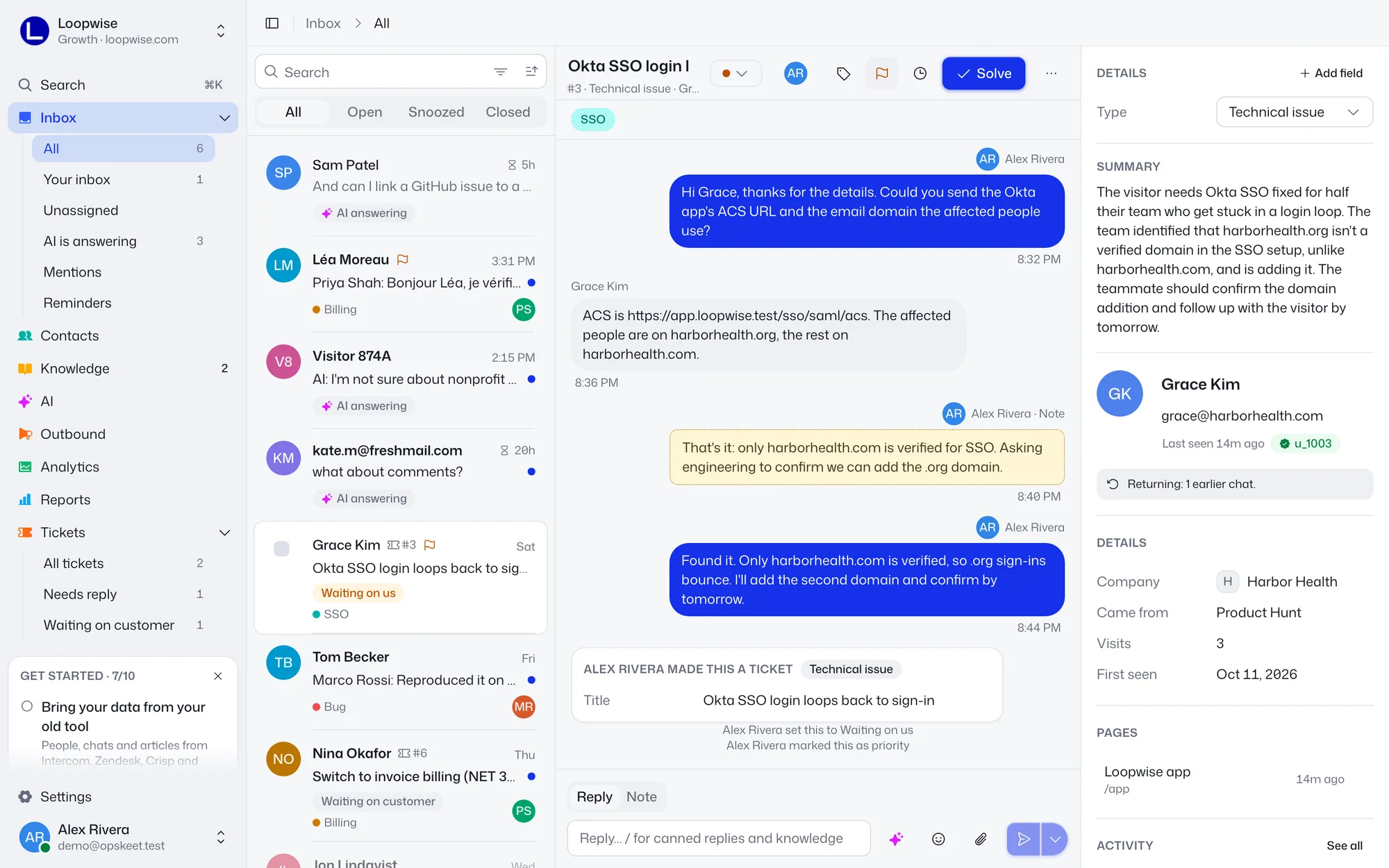
- Change the status with the status menu or press S. Solve is E.
- Click the title to edit it.
- The Details panel holds the type and fields. Edit them in place.
- Replying sets the next status. Plain Send means Waiting on customer. Use the arrow by Send for Send and solve or Send and keep status.
- A customer reply on a solved or waiting ticket moves it to Waiting on us.
- Tickets stay with your team. The AI can't take them back.
To reopen a solved ticket, set another status.
Ticket views
Under Tickets: All tickets, Needs reply (Open and Waiting on us) and Waiting on customer.
Next: ticket types and fields, auto-solve and solved emails.
Did this help?
Related articles
- Set up ticket types and custom ticket fieldsCreate ticket types like Bug or Billing, route them to the right teammate, and add fields to collect order numbers and more.
- Add a request form to your chat widgetLet visitors submit a request with a type and details from the chat widget, either all the time or only when you're away.
- Auto-solve tickets and email customers when solvedSolve tickets that wait on the customer, choose what a reply to a solved ticket does, and email customers when it's solved.