
Connect Claude, ChatGPT, Cursor and other AI agents
Connect Claude, ChatGPT, Cursor, Claude Code, VS Code or Codex to Opskeet with MCP to answer chats, write articles and read reports.
On this page
AI agents like Claude and ChatGPT can work in Opskeet for you: answer chats, add notes, update contacts, write help articles, teach the AI and read reports. They connect through MCP, the open standard for AI tools.
The agent acts as you, with your role on each project.
The MCP address
https://opskeet.com/api/mcp
You'll find setup for each app in Settings → AI agents, with copy buttons.
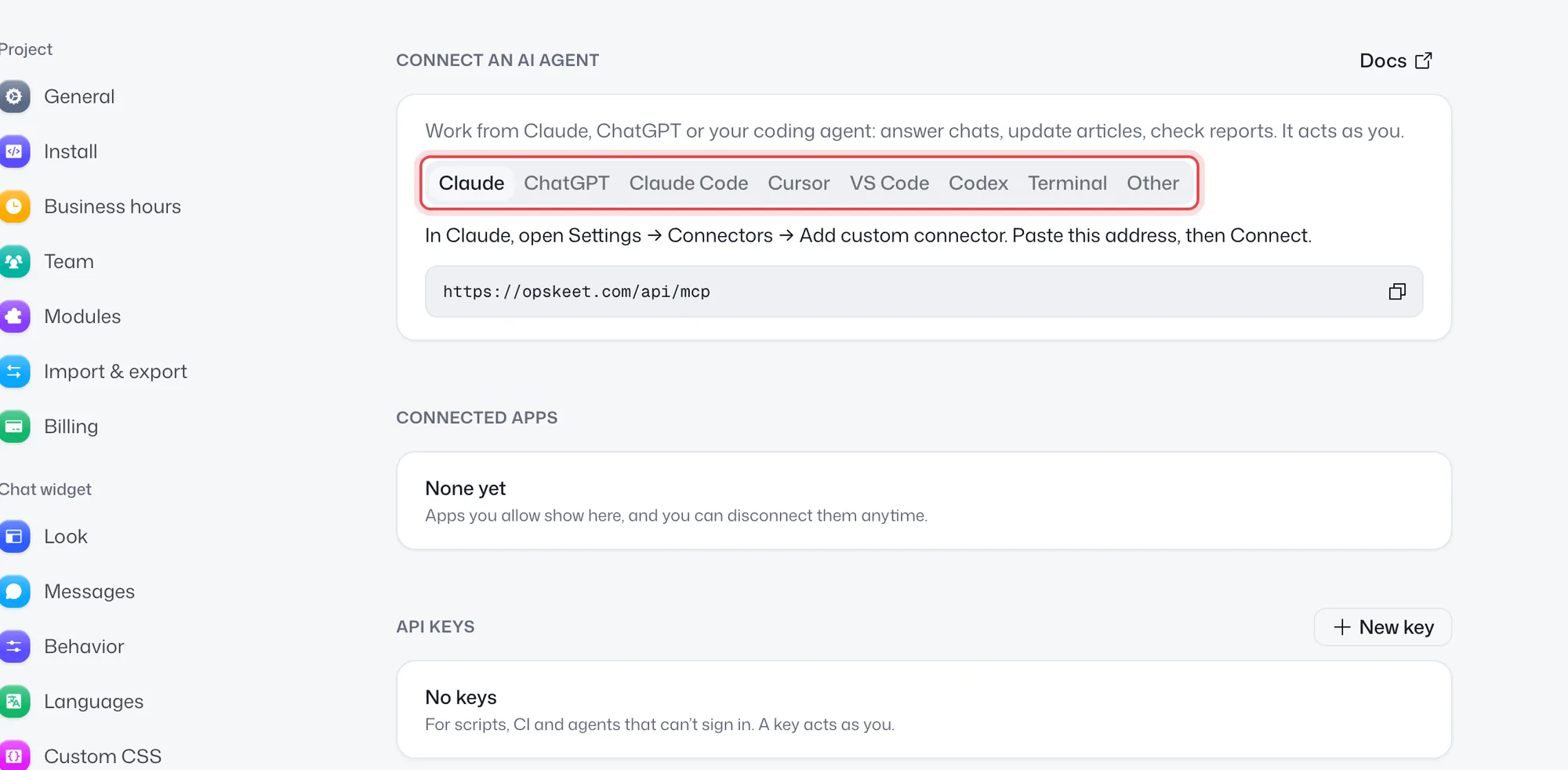
Claude (web, desktop and mobile)
- In Claude, open Settings → Connectors → Add custom connector.
- Paste the address and click Connect.
- Allow Opskeet when it asks.
ChatGPT
Turn on Developer mode in Settings → Apps → Advanced, then create an app with the address and OAuth. Custom apps need a paid ChatGPT plan, and on Business and Enterprise an admin may need to allow them.
Claude Code
claude mcp add --transport http opskeet https://opskeet.com/api/mcp
Then run /mcp in Claude Code to sign in.
Cursor
Click Add to Cursor in Settings → AI agents, or add this to ~/.cursor/mcp.json:
{ "mcpServers": { "opskeet": { "url": "https://opskeet.com/api/mcp" } } }
VS Code
code --add-mcp '{"name":"opskeet","type":"http","url":"https://opskeet.com/api/mcp"}'
Codex
codex mcp add opskeet --url https://opskeet.com/api/mcp
codex mcp login opskeet
Any other app
Add a remote MCP server with the address. It signs in with OAuth, or send an API key as a Bearer token.
Allowing access
The first time, a page asks Allow with a Make changes switch. Turn it off to let the agent only read.
Check the address shown before you allow. Apps pick their own names, so only allow it if you started the connection yourself.
See and disconnect apps
Settings → AI agents → Connected apps lists every app you allowed, with its access and when it was last used. Click Disconnect to end its access right away.
Related
Did this help?
Related articles
- What AI agents can and can't doThe permissions, limits and safety rules for AI agents and API keys connected to Opskeet, and how to keep them to notes only.
- Use Opskeet from the command lineInstall and use the Opskeet CLI to work with your inbox, contacts, help center and analytics from the terminal, scripts and CI.
- Create and manage API keysCreate Opskeet API keys for scripts, CI and AI agents that can't sign in. Make them read-only, and delete them anytime.
- Use the REST APIOpskeet's REST API covers almost everything the app does. Authenticate with an API key, find the reference, and handle errors.